Category: SharePoint

2 Best ways Power Automate to check in multiple files in SharePoint

2 ways SharePoint Online check in all files using Power Automate quickly

Loading

In this “check in multiple files in SharePoint” article, we will learn how to check in multiple files using Power Automate, if the files are checked by some users. First, we will see how to check in files using the Power Automate flow either manual or scheduler, then we will see how to check the
Continue reading

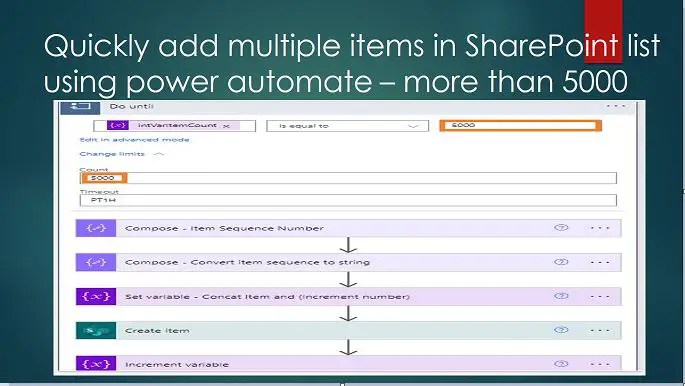
Quickly add multiple items in SharePoint list using power automate – more than 5000

Quickly add multiple items in SharePoint list using power automate – more than 5000

Loading

In this “Add multiple items in SharePoint list using power automate” article, we will learn how to create multiple items (more than 5000) in a SharePoint Online list using Power Automate. Add multiple items in SharePoint list using power automate (more than 5000 items) – business needs For many reasons, we need to have a

Continue reading

Best way to SharePoint 2016 cumulative update installation step by step process

Best way to SharePoint 2016 cumulative update installation step by step process

Loading

In this SharePoint 2016 cumulative update installation tutorial, we will learn how to perform SharePoint 2016 cumulative update installation step-by-step. SharePoint 2016 cumulative update installation In this section, we will learn about what are the best practices for the SharePoint 2016 cumulative update installation. Prerequisites: backup of SharePoint Take the backup of the below: All

Continue reading

1 Best way to clone SharePoint list: Synchronize two SharePoint lists using Power Automate

Synchronize two SharePoint lists using Power Automate - clone SharePoint list

Loading

In this “Clone SharePoint list” article we will learn how to synchronize two SharePoint lists or duplicate SharePoint Online list using Power Automate which means if we add or edit an item in List A, this will be added to or edited in another list List B. Business use case: Clone SharePoint list or Duplicate

Continue reading

Using Power Automate create SharePoint list item if not exists promptly – 0365

Using Power Automate create SharePoint list item if not exists promptly - Demo

Loading

In this “Power Automate create SharePoint list item if not exists”, we will learn how to create a SharePoint list item if not exists using Power Automate. Like any other traditional language, we can create a list item in SharePoint if not exists – however, if the item already exists, we will update it. Using

Continue reading

Generate Unique ID in SharePoint List Using Power Automate

Promptly generate unique ID in SharePoint list using Power Automate – Microsoft 365

Loading

In this “generate unique ID in SharePoint list” article, we will learn how promptly we can generate custom unique ID in SharePoint list using Power Automate. Introduction: What is Unique ID in SharePoint? In SharePoint, a Unique ID is a distinctive identifier assigned to each item within a list or library. This identifier ensures that

Continue reading

Best way update list item in SharePoint using Power Automate – Microsoft 365

Best way update list item in SharePoint using Power Automate – Microsoft 365

Loading

In this “update list item in SharePoint using Power Automate” tutorial, we will learn how best we can update a single list item using the Power Automate “Send an HTTP request to SharePoint” action without getting into the very common issue like “Actions in this flow may result in an infinite trigger loop. Please ensure

Continue reading

SharePoint Online Filter Lookup Column

Conditionally filter lookup column in SharePoint using specific criteria in 2 steps

Loading

SharePoint Online Filter Lookup Column: Conditionally filter lookup column in SharePoint using specific criteria is very essential for business needs. In this article, we will learn how to conditionally filter a lookup column in SharePoint using specific criteria. Filtering the lookup column is not possible using JSON (at least as of now Oct 2022), however,

Continue reading

3 ways instantly disable Action in Power Automate

Disable action in Power Automate using enabling static result (Preview)

Loading

In this article, we will learn how to disable action in Power Automate in various ways instantly. Basically, if you are from a Nintex workflow background, you will expect that if some actions are not needed now, but might be needed in the future, or if you are doing some research where you want to

Continue reading

How to hide add new item in SharePoint list using JSON – SharePoint list hide command bar

How to hide add new item in SharePoint list using JSON - SharePoint list hide command bar

Loading

In this “How to hide add new item in SharePoint list” article, we will learn how to hide add a new item button in SharePoint list or document library. And also, we will learn the below: How to work with SharePoint command bar props How to hide the Integrate option in SharePoint online list using

Continue reading