Category: SharePoint

Power Automate Filter by Content Type using Get Items – 3 Ways

Power Automate Filter by Content Type using Get Items

Loading

In this “Power Automate Filter by Content Type using Get Items” article, we will learn how to get all files from a SharePoint Online document library filtered by content type and custom metadata columns. Before getting into the demo, let us understand what is content type in SharePoint Online. What is Content Type in SharePoint

Continue reading

Instantly using Power Automate create CSV file and send email attachment

Instantly using Power Automate create CSV file and send email attachment

Loading

In this “Power Automate create CSV file and send email attachment” article, we will learn using Power Automate how to create a CSV file and how to send an email with the attachments. Business Use Cases: Using Power Automate create CSV file and send email with attachment in Power Automate There are many use-cases for

Continue reading

Using Power Automate create HTML table with Dynamic Hyperlink

Using Power Automate create HTML table with Dynamic Hyperlink - Send Email Demo

Loading

In this “Power Automate create HTML table with dynamic link” article, we will learn how to use Power Automate to create a HTML table from an array variable, as well as how to create a dynamic hyperlink in the table using CSS styles. Power Automate create HTML table with Dynamic Hyperlink The Power Automate flow

Continue reading

Power Automate Rename File: The Secret to Streamlining Your File Management – 3 best ways

Power Automate to rename multiple files in SharePoint Online

Loading

In this “Power Automate Rename File” tutorial, we will learn how to rename the file(s) in the SharePoint Online document library using Power Automate and two other manual ways. Sometimes, due to business use cases, we need to rename files in SharePoint Online, but if you have a large number of files, renaming them manually

Continue reading

Best way to update SharePoint list with more than 5000 items using Power Automate

Best way to update SharePoint list with more than 5000 items using Power Automate

Loading

In this “Update SharePoint list with more than 5000 items using Power Automate” article, we will learn how to update a SharePoint list that has more than 5000 items using Power Automate. If you have a large list that has more than 5000 items and later you add a new column to the list or

Continue reading

Best way to get more than 5000 items in Power Automate from SharePoint Online list

Best way to get more than 5000 items in Power Automate from SharePoint Online list

Loading

In this “Get more than 5000 items in Power Automate” article, we will learn how to get more than 5000 items in Power Automate from a SharePoint Online list. We can easily retrieve list items with fewer than or equal to 5000, but it will be challenging when you have a list with more than

Continue reading

2 Best ways Power Automate to check in multiple files in SharePoint

2 ways SharePoint Online check in all files using Power Automate quickly

Loading

In this “check in multiple files in SharePoint” article, we will learn how to check in multiple files using Power Automate, if the files are checked by some users. First, we will see how to check in files using the Power Automate flow either manual or scheduler, then we will see how to check the

Continue reading

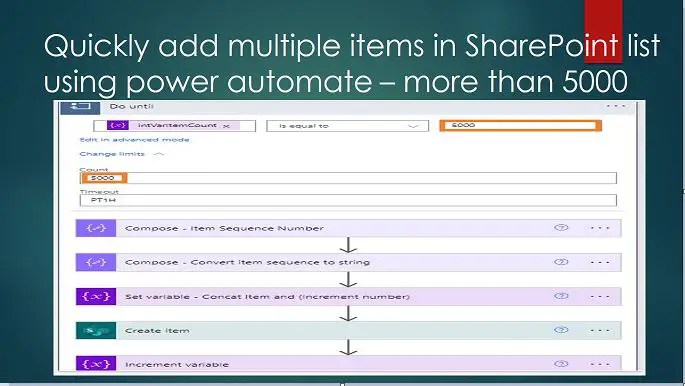
Quickly add multiple items in SharePoint list using power automate – more than 5000

Quickly add multiple items in SharePoint list using power automate – more than 5000

Loading

In this “Add multiple items in SharePoint list using power automate” article, we will learn how to create multiple items (more than 5000) in a SharePoint Online list using Power Automate. Add multiple items in SharePoint list using power automate (more than 5000 items) – business needs For many reasons, we need to have a

Continue reading

Best way to SharePoint 2016 cumulative update installation step by step process

Best way to SharePoint 2016 cumulative update installation step by step process

Loading

In this SharePoint 2016 cumulative update installation tutorial, we will learn how to perform SharePoint 2016 cumulative update installation step-by-step. SharePoint 2016 cumulative update installation In this section, we will learn about what are the best practices for the SharePoint 2016 cumulative update installation. Prerequisites: backup of SharePoint Take the backup of the below: All

Continue reading

1 Best way to clone SharePoint list: Synchronize two SharePoint lists using Power Automate

Synchronize two SharePoint lists using Power Automate - clone SharePoint list

Loading

In this “Clone SharePoint list” article we will learn how to synchronize two SharePoint lists or duplicate SharePoint Online list using Power Automate which means if we add or edit an item in List A, this will be added to or edited in another list List B. Business use case: Clone SharePoint list or Duplicate

Continue reading