

 By
By 
In this crud operations using SPFx tutorial, we will learn about how to implement CRUD operation in SharePoint Online using the SPFx framework and PnP JS library.
Key-Highlights: CRUD operations using SPFx
- Create project folder process
- Project scaffolding process
- Install the PnP JS library process
- Launch visual studio code editor
- Event listener code for Create, Read, Update and Delete operation
- CRUD code explanation in PnP JS and SPFx framework
- Testing the CRUD operation web part from SharePoint Online page
The CRUD operations using SPFx and PnP JS step-by-step process
Below is the step-by-step process for CRUD operations using SPFx and PnP JS:
Step1: Create Folder: CRUD operations using SPFx and PnP JS
Create a new project directory using the below command:
C:\Temp\SPFx\React JS>md CRUD_PnPJS
Go to the created folder directory by the below command:
C:\Temp\SPFx\React JS>cd CRUD_PnPJS
Step 2: Project scaffolding process – CRUD operations using SPFx and PnP JS
C:\Temp\SPFx\React JS\CRUD_PnPJS>yo @microsoft/sharepoint
Let's create a new SharePoint solution.
? What is your solution name? crud-pn-pjs
? Which baseline packages do you want to target for your component(s)? SharePoint Online only (latest)
? Where do you want to place the files? Use the current folder
Found npm version 6.14.7
? Do you want to allow the tenant admin the choice of being able to deploy the solution to all sites immediately without
running any feature deployment or adding apps in sites? No
? Will the components in the solution require permissions to access web APIs that are unique and not shared with other c
omponents in the tenant? No
? Which type of client-side component to create? WebPart
Add new Web part to solution crud-pn-pjs.
? What is your Web part name? SP Online CRUD Using PnP JS
? What is your Web part description? SP Online CRUD Using PnP JS description
? Which framework would you like to use? (Use arrow keys)
> No JavaScript framework
React
Knockout

Now, need to run the below command:
Step 3: Install the PnP JS library – CRUD operations using SPFx and PnP JS
Run the below command to install the PnP JS library.
npm install sp-pnp-js –save
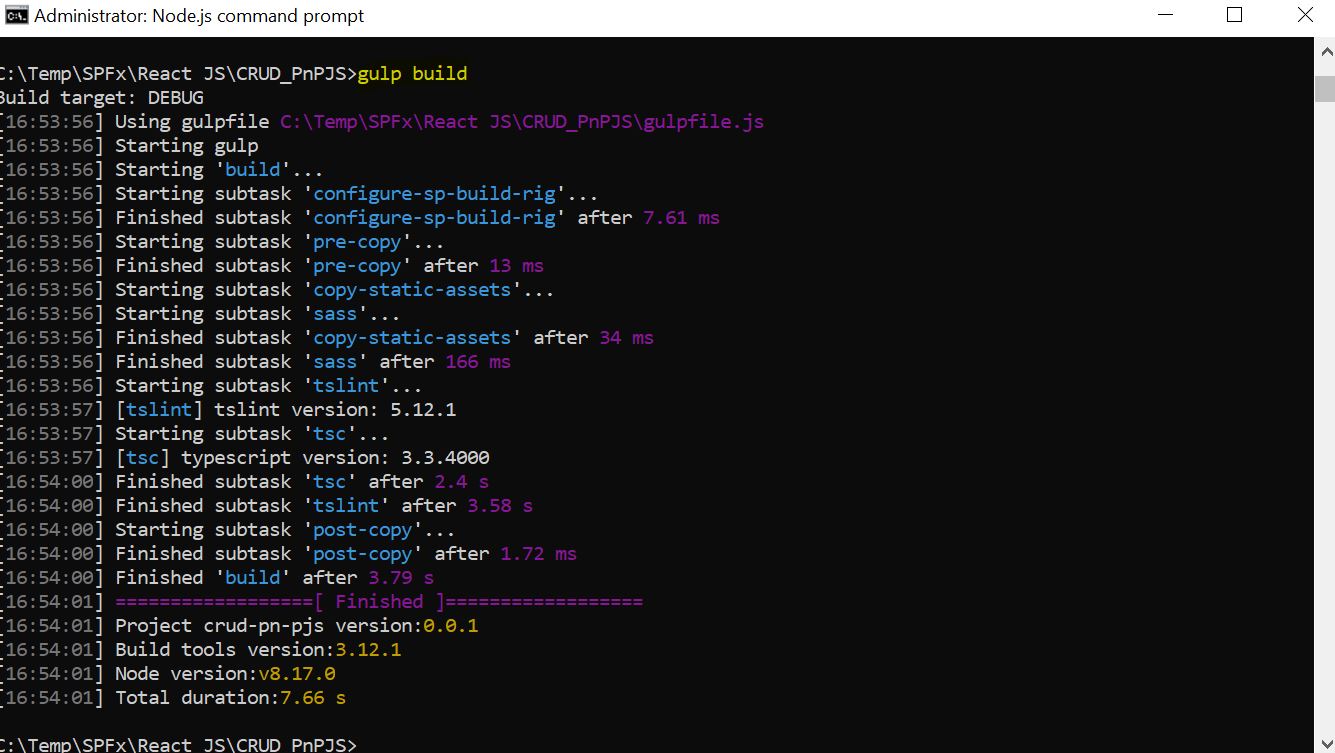
Then run the Gulp Build command to check the solution was scaffolded properly without any error.
Create Employee List In SharePoint Online site with the below columns:
- EmpName – Single Line of Text
- EmpDepartment – Single Line of Text

Open the project solution code in the visual studio editor by typing “code .” in the node js command prompt like below:
Step 4: Open code in visual studio editor by running the “code . ” command (CRUD operations using SPFx and PnP JS)
C:\Temp\SPFx\React JS\CRUD_PnPJS>code .
Now, let’s run the project by running the gulp serve command.
We can see that the SP Online CRUD operation using PnP JS is displayed on the SharePoint page – with the Add, Update and Delete button.
SharePoint Online CRUD operation UI using PnP JS

Here, I will explain the code – how it was developed.
Event listener code for CREATE, READ, UPDATE and DELETE operation (CRUD operations using SPFx and PnP JS in SharePoint Online)
private AddEventListeners() : void

{


  document.getElementById('AddItemToSPList').addEventListener('click',()=>this.AddSPListItem());

  document.getElementById('UpdateItemInSPList').addEventListener('click',()=>this.UpdateSPListItem());

  document.getElementById('DeleteItemFromSPList').addEventListener('click',()=>this.DeleteSPListItem());

 }


  private _getSPItems(): Promise<ISPList[]> {

  return pnp.sp.web.lists.getByTitle("Employee").items.get().then((response) => {


     return response;

   });


 }


  private getSPItems(): void {


     this._getSPItems()

       .then((response) => {

         this._renderList(response);

       });

 }
AddSPListItem()

   {


        pnp.sp.web.lists.getByTitle('Employee').items.add({

            EmpName : document.getElementById('EmpName')["value"],

            EmpDepartment : document.getElementById('EmpDepartment')["value"]


       });


        alert("Record with Employee Name : "+ document.getElementById('Employee')["value"] + " Added !");


   }

UpdateSPListItem()

{

 var empID =  this.domElement.querySelector('input[name = "empID"]:checked')["value"];

    pnp.sp.web.lists.getByTitle("Employee").items.getById(empID).update({

     EmpName : document.getElementById('EmpName')["value"],

     EmpDepartment : document.getElementById('EmpDepartment')["value"]


  });

 alert("Record with Employee ID : "+ empID + " Updated !");

}


DeleteSPListItem()

{

 var empID =  this.domElement.querySelector('input[name = "empID"]:checked')["value"];


     pnp.sp.web.lists.getByTitle("Employee").items.getById(empID).delete();

     alert("Record with Employee ID : "+ empID + " Deleted !");

}
import pnp from 'sp-pnp-js';

import { Version } from '@microsoft/sp-core-library';

import {

 BaseClientSideWebPart,

  IPropertyPaneConfiguration,

  PropertyPaneTextField

  } from '@microsoft/sp-webpart-base';

  import { escape } from '@microsoft/sp-lodash-subset';


 import styles from './SpOnlineCrudUsingPnPJsWebPart.module.scss';

 import * as strings from 'SpOnlineCrudUsingPnPJsWebPartStrings';


export interface ISpOnlineCrudUsingPnPJsWebPartProps
{

  description: string;

}


 export interface ISPList
 {

    ID: string;

    EmpName: string;

    EmpDepartment: string;

  }


export default class SpOnlineCrudUsingPnPJsWebPart extends BaseClientSideWebPart<ISpOnlineCrudUsingPnPJsWebPartProps>

  {


private AddEventListeners() : void
{

  document.getElementById('AddItemToSPList').addEventListener('click',()=>this.AddSPListItem());

  document.getElementById('UpdateItemInSPList').addEventListener('click',()=>this.UpdateSPListItem());

  document.getElementById('DeleteItemFromSPList').addEventListener('click',()=>this.DeleteSPListItem());

 }


 private _getSPItems(): Promise<ISPList[]>
 {

  return pnp.sp.web.lists.getByTitle("Employee").items.get().then((response) => {


     return response;

   });


 }


 private getSPItems(): void
 {


     this._getSPItems()

       .then((response) => {

         this._renderList(response);

       });

 }

 private _renderList(items: ISPList[]): void
 {

   let html: string = '<table class="TFtable" border=1 width=style="bordercollapse: collapse;">';

   html += `<th></th><th>ID</th><th>Name</th><th>Department</th>`;

   if (items.length>0)

   {

   items.forEach((item: ISPList) => {

     html += `

          <tr>

          <td>  <input type="radio" id="empID" name="empID" value="${item.ID}"> <br> </td>


         <td>${item.ID}</td>

         <td>${item.EmpName}</td>

         <td>${item.EmpDepartment}</td>

         </tr>

         `;

   });

  }

  else


  {

    html +="No records...";

  }

   html += `</table>`;

   const listContainer: Element = this.domElement.querySelector('#DivGetItems');

   listContainer.innerHTML = html;

 }


public render(): void
{

     this.domElement.innerHTML = `

     <div class="parentContainer" style="background-color: white">

    <div class="ms-Grid-row ms-bgColor-themeDark ms-fontColor-white ${styles.row}">

       <div class="ms-Grid-col ms-u-lg

   ms-u-xl8 ms-u-xlPush2 ms-u-lgPush1">


       </div>

    </div>

    <div class="ms-Grid-row ms-bgColor-themeDark ms-fontColor-white ${styles.row}">

       <div style="background-color:Black;color:white;text-align: center;font-weight: bold;font-size:

   x;">Employee Details</div>


    </div>

    <div style="background-color: white" >

       <form >

          <br>

          <div data-role="header">

             <h3>Add item to SharePoint List</h3>

          </div>

           <div data-role="main" class="ui-content">

             <div >


               <input id="EmpName"  placeholder="EmpName"/>

               <input id="EmpDepartment"  placeholder="EmpDepartment"/>

               <button id="AddItemToSPList"  type="submit" >Add</button>

               <button id="UpdateItemInSPList" type="submit" >Update</button>

               <button id="DeleteItemFromSPList"  type="submit" >Delete</button>

             </div>

           </div>

       </form>

    </div>

    <br>

    <div style="background-color: white" id="DivGetItems" />


    </div>

    `;


 this.getSPItems();

 this.AddEventListeners();

   }


   AddSPListItem()

   {


        pnp.sp.web.lists.getByTitle('Employee').items.add({

            EmpName : document.getElementById('EmpName')["value"],

            EmpDepartment : document.getElementById('EmpDepartment')["value"]


       });


        alert("Record with Employee Name : "+ document.getElementById('Employee')["value"] + " Added !");


   }

UpdateSPListItem()

{

 var empID =  this.domElement.querySelector('input[name = "empID"]:checked')["value"];

    pnp.sp.web.lists.getByTitle("Employee").items.getById(empID).update({

     EmpName : document.getElementById('EmpName')["value"],

     EmpDepartment : document.getElementById('EmpDepartment')["value"]


  });

 alert("Record with Employee ID : "+ empID + " Updated !");

}


DeleteSPListItem()

{

 var empID =  this.domElement.querySelector('input[name = "empID"]:checked')["value"];


     pnp.sp.web.lists.getByTitle("Employee").items.getById(empID).delete();

     alert("Record with Employee ID : "+ empID + " Deleted !");

}


  protected get dataVersion(): Version

   {

     return Version.parse('1.0');

   }


protected getPropertyPaneConfiguration(): IPropertyPaneConfiguration {

     return {

       pages: [

         {

           header: {

             description: strings.PropertyPaneDescription

           },

           groups: [

             {

               groupName: strings.BasicGroupName,

               groupFields: [

                 PropertyPaneTextField('description', {

                   label: strings.DescriptionFieldLabel

                 })

               ]

             }

           ]

         }

       ]

     };

   }

 }
Code explanation: CRUD operations using SPFx and PnP JS in SharePoint Online
AddEventListeners() – List of button event listeners on the page, this will associate the button’s events to their related methods – for example, Add, Update, Delete, etc.
getSPItems() – This will retrieve the list items from the SharePoint list (here it is – “Employee” list) and display it within the div element declared in the render method.
AddSPListItem() – This method is responsible for adding a new item to SharePoint list.
UpdateSPListItem() – This method is responsible for updating an existing item from the SharePoint list, here item ID is the key parameter.
DeleteSPListItem() – This method is responsible for deleting an existing item from the SharePoint list, here item ID is the key parameter.
Testing the web part from the SharePoint Online Page (CRUD operations using SPFx and PnP JS in SharePoint Online)
Addition Test:
Add list item to SharePoint Online employee list – enter employee name as “Adi” and Department as “HR”, then click on the “Add” button.

Add list item to SharePoint Online employee list -CRUD operations using SPFx and PnP JS in SharePoint Online – test
Add list item to SharePoint Online employee list – after addition (Read Items) – we can see that the new employee “Adi” is added to the list.

Deletion Test:

Summary: CRUD operations using SPFx and PnP JS in SharePoint Online
Thus, in this article, we have learned about how we can perform the CRUD operation in SharePoint Online using the PnP JS library in the SharePoint Framework (SPFx).
Download Source Code: CRUD operations using SPFx and PnP JS in SharePoint Online
The above source code file can be downloaded from here.
See Also: SPFx Framework Tutorial
You may also like the below SharePoint SPFx articles:
- SharePoint Online: Use theme color in SharePoint SPFx framework web part
- SharePoint Online: CRUD operations using SPFx ReactJS framework
- SharePoint Online: CRUD operations using SPFx no javascript framework
- Develop your first hello world web part in sharepoint framework (SPFx)
- Understanding solution structure in SharePoint framework (SPFx)
- Create custom property in SharePoint Framework – SPFx web part pane
- Get list items from SharePoint using SPFx framework(No Javascript Framework)
- Custom search result page in SharePoint Online – SPFx PnP Modern Search solution

Download SharePoint Online & Office 365 Administration eBook
Buy the premium version of SharePoint Online & Office 365 administration eBook from here:

Get the free demo PDF eBook from here:
Send download link to:
About Post Author

Discover more from Global SharePoint
Subscribe to get the latest posts sent to your email.